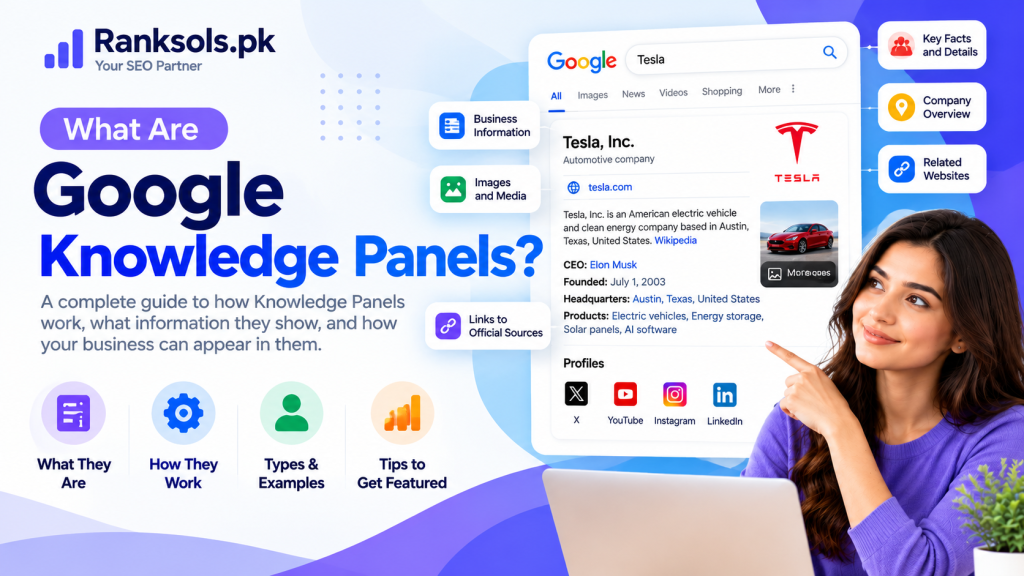
Knowledge Panels are information boxes that Google displays in search results to provide a quick overview of a person, organization, place, or other entity. They help users find important facts about a subject without visiting multiple websites.
For businesses, public figures, and organizations, Google Knowledge Panels can provide additional visibility by displaying relevant information, images, and official links directly in search results.
Understanding how Knowledge Panels work, where their information comes from, and how to manage them can help businesses establish a clearer and more consistent online identity.
What Are Knowledge Panels?
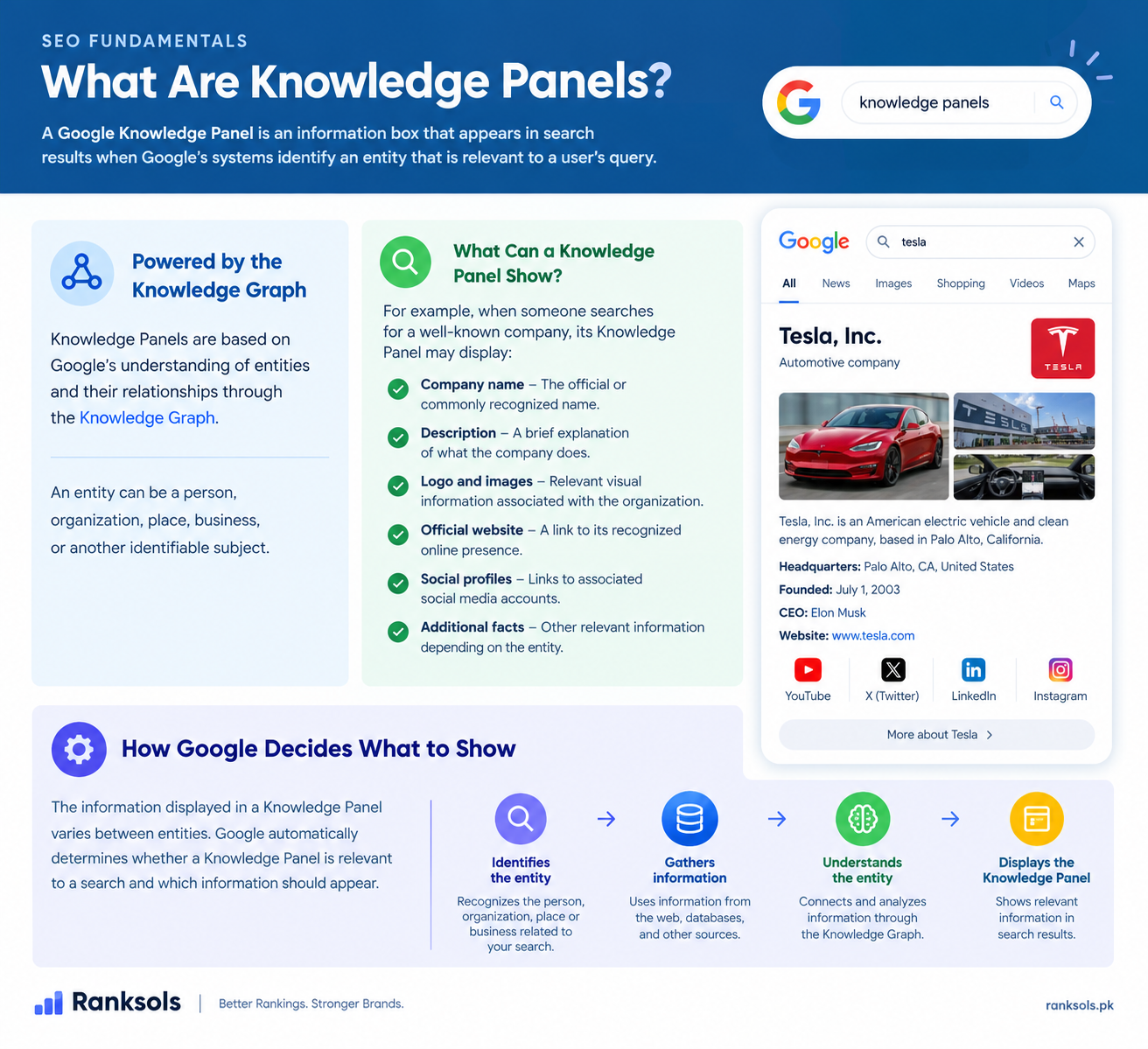
A Google Knowledge Panel is an information box that appears in search results when Google’s systems identify an entity that is relevant to a user’s query.
Knowledge Panels are based on Google’s understanding of entities and their relationships through the Knowledge Graph. An entity can be a person, organization, place, business, or another identifiable subject.
For example, when someone searches for a well-known company, its Knowledge Panel may display:
Company name: The official or commonly recognized name of the organization.
Description: A brief explanation of what the company does.
Logo and images: Relevant visual information associated with the organization.
Official website: A link to its recognized online presence.
Social profiles: Links to associated social media accounts.
Additional facts: Other relevant information depending on the entity.
The information displayed varies between entities. Google automatically determines whether a Knowledge Panel is relevant to a search and which information should appear.
How Do Google Knowledge Panels Work?
Google Knowledge Panels are generated automatically using information from the web, Google’s Knowledge Graph, and other relevant data sources.
The general process involves several activities:
Entity identification: Google’s systems identify the person, organization, place, or thing associated with a search query.
Information collection: Google gathers relevant facts from websites, public sources, data partners, and other information sources.
Entity understanding: Google’s systems analyze available information and relationships to develop an understanding of the entity.
Information presentation: When relevant to a search, Google may display a Knowledge Panel containing selected information about the entity.
Information updates: Google automatically updates information as it changes across the web. It also considers suggestions from verified entities and feedback from other users.
The Knowledge Graph helps Google understand entities and their relationships, while Knowledge Panels present selected information from that understanding in search results.
Knowledge Panels are not manually created by website owners. Google’s automated systems determine when, where, and how they appear.
What Information Appears in a Knowledge Panel?
The information displayed in a Knowledge Panel depends on the entity and the available information Google can identify.
Common elements include:
Entity name: The name of the person, company, organization, or place.
Description: A short overview explaining what the entity is or does.
Images: Relevant photographs, logos, or other visual content.
Important facts: Details such as a person’s occupation, an organization’s industry, or a location’s relevant information.
Official website: A link to the entity’s recognized website.
Social profiles: Links to associated social media accounts.
Additional information: Other relevant details depending on the type of entity.
Not every Knowledge Panel contains all these elements.
Images can also come from different sources. For example, a verified entity may select a featured image from available images on the web, while other images may be automatically selected from Google Images results.
Google determines which information is relevant and how it should be presented.
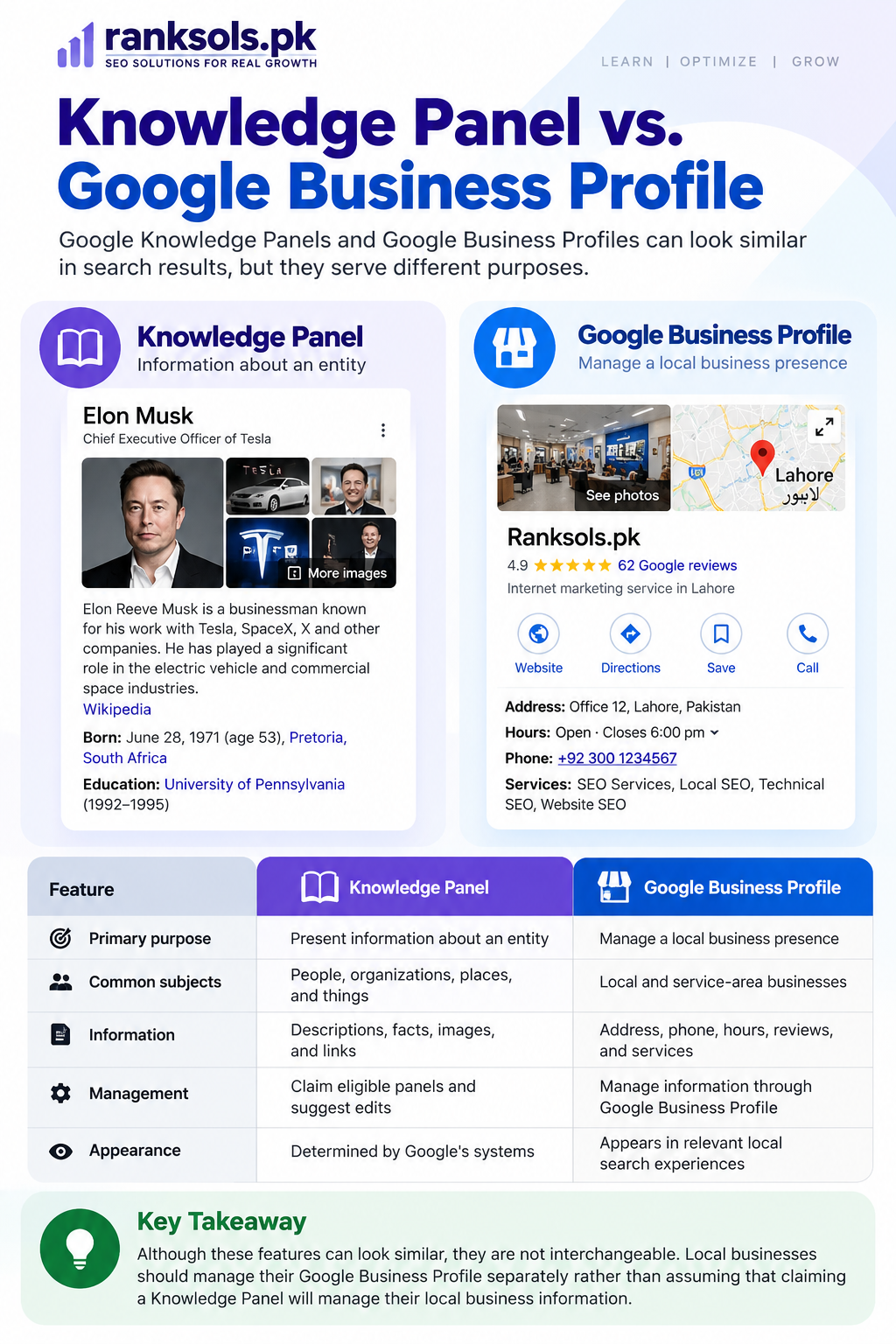
Knowledge Panel vs. Google Business Profile
Google Knowledge Panels and Google Business Profiles can look similar in search results, but they serve different purposes.
A Knowledge Panel provides information about an entity, which may include a person, organization, place, or other subject.
A Google Business Profile focuses on businesses that interact with customers at a particular location or within a designated service area. It allows eligible businesses to manage important information displayed across Google Search and Google Maps.
| Feature | Knowledge Panel | Google Business Profile |
|---|---|---|
| Primary purpose | Present information about an entity | Manage a local business presence |
| Common subjects | People, organizations, places, and things | Local and service-area businesses |
| Information | Descriptions, facts, images, and links | Address, phone, hours, reviews, and services |
| Management | Claim eligible panels and suggest edits | Manage information through Google Business Profile |
| Appearance | Determined by Google’s systems | Appears in relevant local search experiences |
Although these features can look similar, they are not interchangeable. Local businesses should manage their Google Business Profile separately rather than assuming that claiming a Knowledge Panel will manage their local business information.
Knowledge Panel vs. Featured Snippet
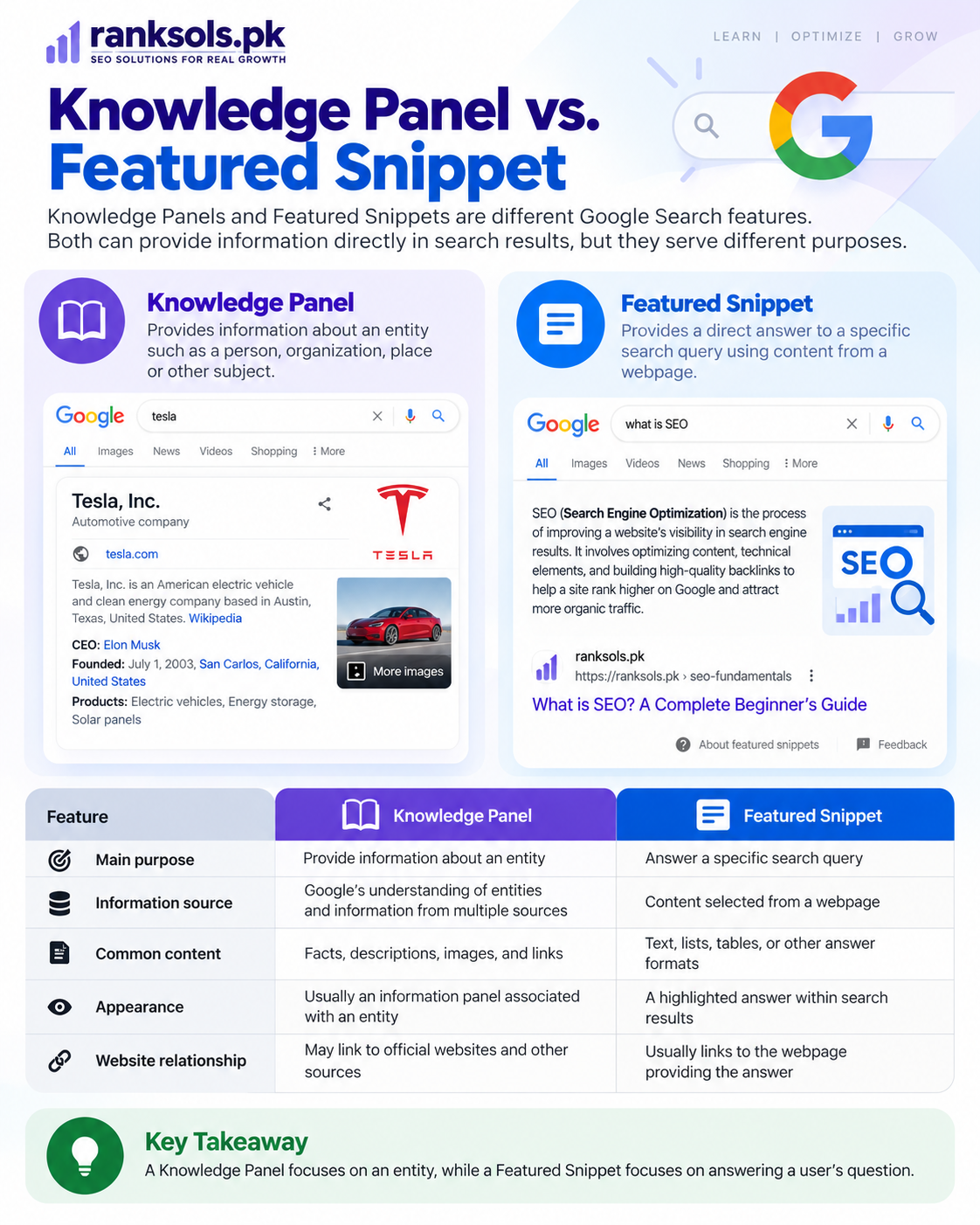
Knowledge Panels and Featured Snippets are different Google Search features. Both can provide information directly in search results, but they serve different purposes.
| Feature | Knowledge Panel | Featured Snippet |
|---|---|---|
| Main purpose | Provide information about an entity | Answer a specific search query |
| Information source | Google’s understanding of entities and information from multiple sources | Content selected from a webpage |
| Common content | Facts, descriptions, images, and links | Text, lists, tables, or other answer formats |
| Appearance | Usually an information panel associated with an entity | A highlighted answer within search results |
| Website relationship | May link to official websites and other sources | Usually links to the webpage providing the answer |
A Knowledge Panel focuses on an entity, while a Featured Snippet focuses on answering a user’s question.
How to Improve Your Chances of Appearing in a Knowledge Panel
There is no guaranteed method to obtain a Google Knowledge Panel. Google automatically determines when an entity has sufficient relevance and information to appear in search results.
However, businesses and individuals can strengthen their online presence by making their identity and information easier to understand and verify.
1. Establish a Clear Online Identity
Make it clear who you are and what your organization does.
Your official website should provide accurate information about your business name, industry, services, and organizational identity.
For businesses, maintain a consistent identity across the website, social media accounts, and other relevant platforms.
2. Maintain Consistent Brand Information
Use consistent information about your organization across its online presence.
Pay attention to details such as:
Official business name.
Website address.
Company description.
Logo and brand identity.
Social media profiles.
Contact and business information.
Consistency helps establish a clearer and more recognizable online identity.
3. Publish Authoritative Company Information
Your official website should clearly explain the identity and purpose of your organization.
Useful pages may include:
About Us
Contact Us
Company Information
Team or Leadership Profiles
Services and Business Details
Ensure that the information is accurate, accessible, and regularly updated.
4. Build Credible Online References
Develop a genuine online presence through relevant publications, professional profiles, industry websites, and credible references.
Relevant mentions from reputable sources can provide additional information about an organization and help establish its identity.
Focus on genuine recognition and accurate information rather than purchasing artificial brand mentions or creating misleading references.
5. Use Relevant Structured Data
Structured data helps search engines understand information about entities on webpages.
Schema.org provides several structured data types that may be relevant to an organization’s online presence, including:
OrganizationPersonLocalBusinessWebSite
Choose the appropriate schema type and ensure that the structured data accurately represents the visible content of your website.
For example, an organization can use Organization structured data to describe its official name, website, logo, and relevant social profiles.
Important: Adding schema markup does not guarantee a Knowledge Panel. Structured data provides explicit information about a webpage or entity, but Google independently determines whether a Knowledge Panel appears.
How to Claim and Manage a Google Knowledge Panel
If you are the subject of a Knowledge Panel or an official representative of the entity, Google provides a verification process that may allow you to claim the panel.
The general process is:
Search for the entity: Search for your name or organization on Google.
Locate the Knowledge Panel: Find the relevant panel associated with the entity.
Select the claim option: Look for the “Claim this knowledge panel” option, if available.
Verify your identity: Follow Google’s instructions and sign in through an eligible associated official website or profile.
Suggest changes: After verification, use the available options to suggest corrections or updates to supported information.
Google may offer verification through associated platforms such as YouTube, Search Console, X, or Facebook, depending on the entity and available verification options.
Not every Knowledge Panel can currently be claimed. If the claim option is unavailable, you can use the feedback option displayed in Google Search to report incorrect or outdated information.
Verification does not provide unrestricted control over the panel. Google reviews suggested changes before accepting them.
For detailed instructions, visit Google’s official guide: Get Verified on Google.
How to Correct Incorrect Knowledge Panel Information
Google automatically generates and updates Knowledge Panels, but the displayed information may sometimes be incorrect, incomplete, or outdated.
If you identify an error, you can submit feedback through the Knowledge Panel.
Follow these steps:
Search for the relevant person, organization, or entity on Google.
Locate the Knowledge Panel containing the incorrect information.
Select the Feedback option.
Identify the information that needs correction.
Explain the suggested change and provide reliable supporting sources where possible.
Submit the feedback for Google’s review.
Verified representatives may receive priority when suggesting changes to information about the entity they represent.
Google reviews submitted feedback and determines whether the suggested correction should be applied. Submitting a request does not guarantee that the information will be changed.
Common Knowledge Panel SEO Mistakes
Businesses and website owners sometimes misunderstand how Knowledge Panels work. Avoid these common mistakes:
Treating schema markup as a guarantee: Structured data helps search engines understand website information but does not automatically generate a Knowledge Panel.
Providing inconsistent brand information: Different business names, descriptions, and website details can make it harder to establish a consistent identity.
Publishing misleading information: Incorrect or exaggerated company descriptions can damage the credibility of an entity’s online presence.
Expecting immediate results: Google determines when and where Knowledge Panels appear. Building an online presence does not guarantee immediate inclusion.
Confusing Knowledge Panels with Business Profiles: These features have different purposes and management processes.
Assuming an About Us page is sufficient: A company profile helps explain an organization’s identity, but publishing one does not automatically create a Knowledge Panel.
Buying artificial brand mentions: Manipulative references do not provide a reliable way to establish an entity’s identity.
Do Knowledge Panels Improve SEO Rankings?
A Knowledge Panel is a search presentation feature, not a direct ranking boost.
Its appearance does not guarantee higher organic rankings, increased website traffic, or improved search positions.
However, a Knowledge Panel can provide useful brand information directly in Google Search. It may help users discover an organization’s official website, social profiles, and other relevant information.
For businesses, the practical value lies in establishing a recognizable and consistent online identity rather than treating Knowledge Panel inclusion as an SEO ranking objective.
Frequently Asked Questions About Knowledge Panels
1. Are Google Knowledge Panels generated automatically?
Yes. Google automatically generates Knowledge Panels using its understanding of entities, the Knowledge Graph, and information gathered from different sources across the web. Verified entities may suggest changes to supported information.
2. Can any website get a Knowledge Panel?
No. Knowledge Panels are associated with entities rather than simply being awarded to websites. Google determines whether an entity is relevant to a search and whether sufficient information is available to display a panel.
3. Does schema markup create a Knowledge Panel?
No. Schema markup helps search engines understand information on webpages, but implementing structured data does not guarantee a Knowledge Panel.
4. Can a business claim its Google Knowledge Panel?
An eligible business representative may be able to verify their association with an existing Knowledge Panel and suggest supported edits. However, not all Knowledge Panels are claimable. Local businesses should also manage their Google Business Profile separately.
5. What is the difference between a Knowledge Graph and a Knowledge Panel?
The Knowledge Graph is Google’s system for storing and understanding information about entities and their relationships. A Knowledge Panel is a search feature that presents selected information based on Google’s understanding of an entity.
6. Can I create a Knowledge Panel for my business?
You cannot directly create a Knowledge Panel through a submission form. Google automatically determines when an entity should have one. Businesses can strengthen their online identity by maintaining accurate website information, consistent brand details, and relevant online references.
7. Can Knowledge Panel information be incorrect?
Yes. Google automatically gathers and updates information, so errors or outdated details may occasionally appear. Users can submit feedback, while verified representatives can suggest corrections through the available management options.
Conclusion
Google Knowledge Panels provide users with quick access to important information about recognized entities. They are generated automatically using Google’s Knowledge Graph and information gathered from multiple sources across the web.
For businesses and organizations, maintaining accurate website information, building a consistent brand identity, and developing a credible online presence can help Google understand their identity.
Although no SEO technique guarantees a Knowledge Panel, a well-established online presence makes it easier for users and search engines to identify an organization and find its official information.
At Ranksols, we help businesses strengthen their search presence through effective SEO strategies, quality content, and well-structured websites. Building a clear and consistent online identity is an important part of developing long-term search visibility.