In SEO, impressions and clicks are two important metrics for measuring website performance in Google Search. Impressions show how often your search results appear, while clicks measure how often users select those results to visit your website. Understanding the difference helps you evaluate organic search visibility, analyze click-through rate (CTR), and identify opportunities to improve search performance.
What Are Impressions in SEO?
An impression is recorded when your website’s result appears in Google Search, according to the counting rules for that result type. For standard web search results, the result generally does not need to be scrolled into view to count as an impression. Other search features may follow different counting rules.
Impressions help you understand how frequently your website appears for relevant search queries, even when users do not click through to your pages.
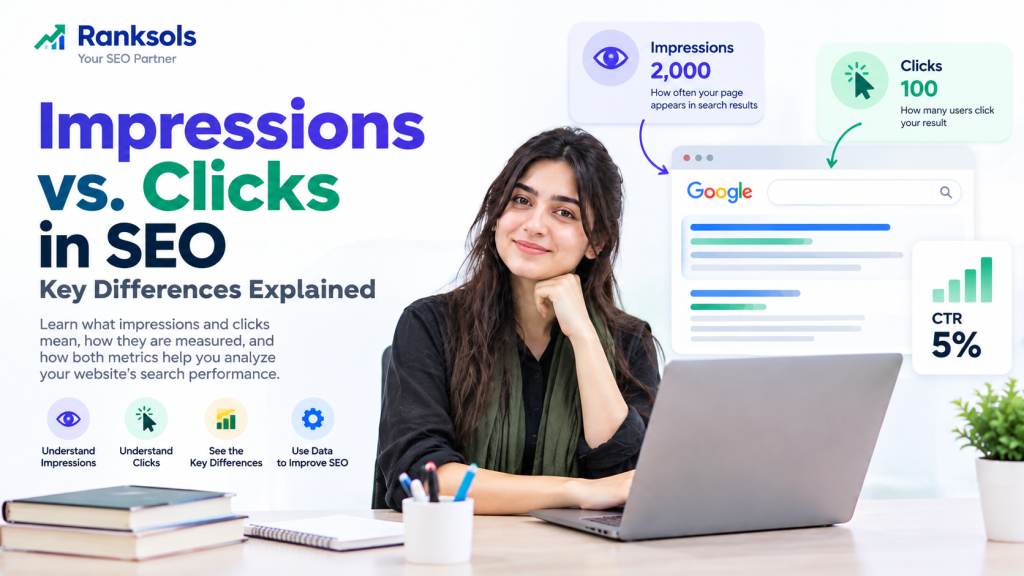
Example: If a page receives 2,000 impressions during a reporting period, its search result has been counted 2,000 times under Google’s applicable measurement rules.
High impressions can indicate increased search visibility, but they do not necessarily mean that your website is attracting visitors or appearing for the most relevant queries.
What Are Clicks in SEO?
A click is recorded when a user clicks a qualifying link from Google Search or another supported Google surface that leads to your website.
In Google Search Console, clicks help you measure how often your search results bring users to your website. However, Search Console clicks and Google Analytics sessions are different metrics. One click does not necessarily equal one session because the tools measure different events and may apply different reporting rules.
Example: If your page receives 2,000 impressions and 100 clicks, those results indicate that users clicked through to your website 100 times.
Clicks are influenced by several factors, including search position, query relevance, competing results, and how clearly your search result communicates the value of your page.
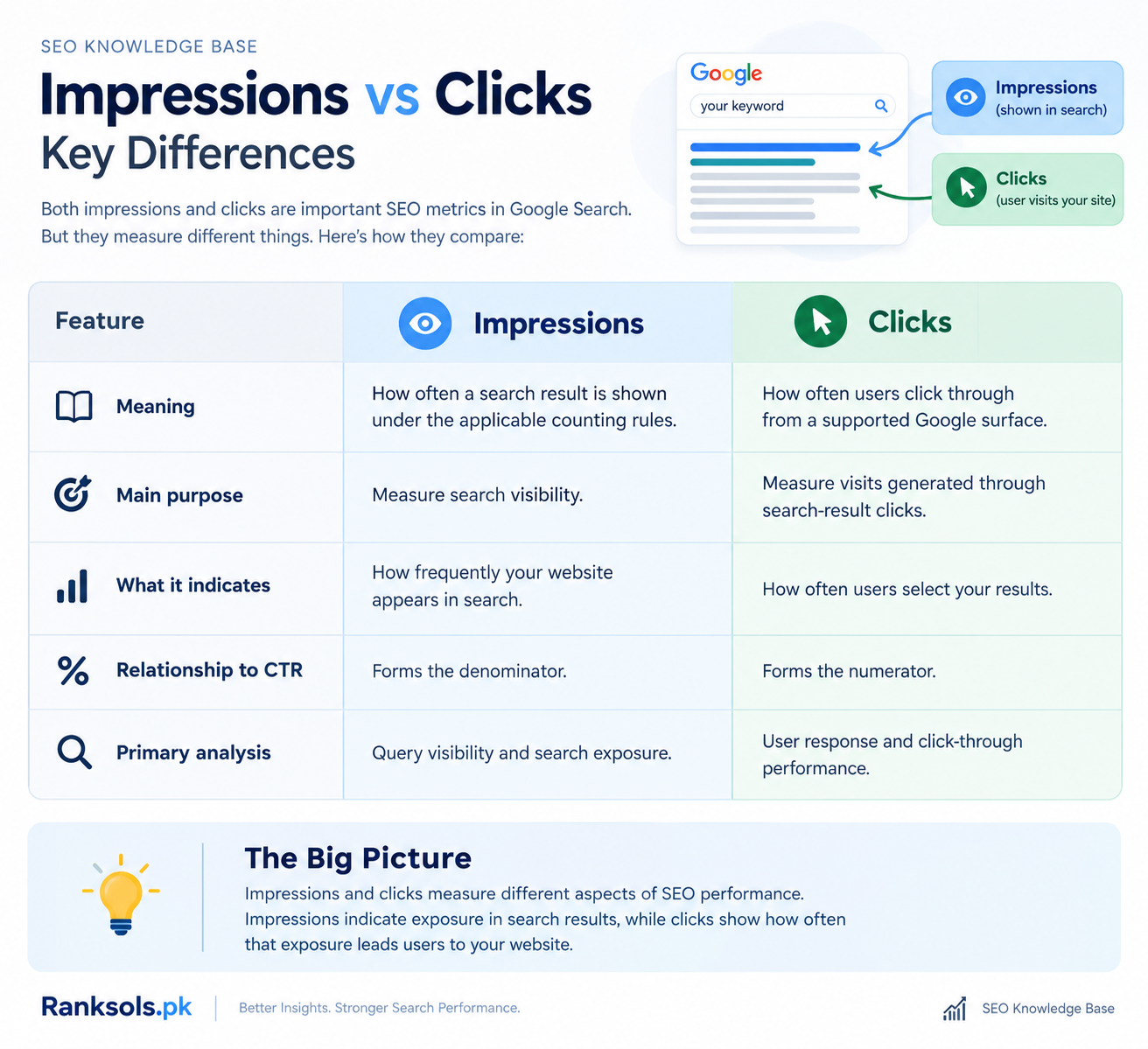
Impressions vs Clicks: Key Differences
| Feature | Impressions | Clicks |
|---|---|---|
| Meaning | How often a search result is shown under the applicable counting rules | How often users click through from a supported Google surface |
| Main purpose | Measure search visibility | Measure visits generated through search-result clicks |
| What it indicates | How frequently your website appears in search | How often users select your results |
| Relationship to CTR | Forms the denominator | Forms the numerator |
| Primary analysis | Query visibility and search exposure | User response and click-through performance |
Impressions and clicks measure different aspects of SEO performance. Impressions indicate exposure in search results, while clicks show how often that exposure leads users to your website.
How Are Impressions, Clicks, and CTR Related?
Click-through rate (CTR) measures the percentage of recorded impressions that result in clicks.
CTR formula:
CTR = (Clicks ÷ Impressions) × 100
For example, suppose a page receives 2,000 impressions and 100 clicks during the same reporting period.
CTR = (100 ÷ 2,000) × 100 = 5%
This means the page received five clicks for every 100 recorded impressions, on average.
CTR helps you understand how frequently users select your result after it appears. However, a higher CTR does not guarantee higher search rankings. Evaluate CTR alongside average position, query relevance, and the purpose of the page.
How to Analyze Impressions and Clicks in Google Search Console
Google Search Console provides clicks, impressions, CTR, and average position in its Performance report. These metrics help you understand how your website performs in Google Search.
Follow these steps to analyze your results:
Open Google Search Console and select your website property.
Navigate to Performance → Search results.
Select a suitable date range for your analysis.
Enable Total clicks, Total impressions, Average CTR, and Average position.
Open the Queries tab to examine the search terms generating impressions and clicks.
Open the Pages tab to identify which URLs receive the most search visibility and clicks.
Compare equivalent date ranges and investigate meaningful changes in performance.
For a more accurate analysis, review device and country segments when they are relevant to your audience. Avoid judging a page solely by its overall CTR because different queries and average positions can produce very different results.
What Do High Impressions but Low Clicks Mean?
High impressions with relatively few clicks mean your pages are appearing in search results but receiving limited click-through activity. This is not automatically a sign of poor SEO performance. The underlying cause depends on the queries, search positions, and search-result presentation.
Consider these possible explanations:
Low average position: Your page may appear lower in search results, reducing its opportunity to attract clicks.
Search-intent mismatch: Users may be looking for a different type of answer, product, or service than your page provides.
Unclear search-result wording: Your title link or displayed snippet may not communicate the page’s relevance clearly.
Strong competition: Other results or search features may better meet the user’s immediate needs.
Broad query coverage: Your page may appear for many searches, including some that are only loosely related to its main topic.
How to Diagnose the Problem
Start by examining the queries that generate impressions but relatively few clicks. Check their average positions and compare the actual search results for those queries.
If a page appears in relevant searches but its title or snippet does not clearly represent the content, improve the wording where appropriate. If the queries reveal a mismatch between user intent and the page, consider whether the content needs to address the intended question more directly.
Do not treat every low CTR as a problem that requires a title change. First determine whether the impressions are relevant and whether the page is competitive for the searches it serves.
How Can You Improve Clicks While Maintaining Relevant Impressions?
Improving search-result performance starts with making your page relevant to the searches in which it appears.
Write descriptive page titles: Make each title clear, accurate, and relevant to the page’s main subject.
Create useful meta descriptions: Summarize the page’s value and encourage relevant users to learn more. Google may generate a different snippet depending on the query.
Match content to search intent: Ensure the page answers the questions or meets the needs behind its target searches.
Review underperforming queries: Identify relevant queries with high impressions and relatively few clicks before deciding what to change.
Monitor changes over time: Compare clicks, impressions, CTR, and average position after updating your page.
Google may generate title links and snippets using page content and other signals, so changing a title or meta description does not guarantee that the displayed wording will change or that clicks will increase.
The objective is not simply to maximize clicks. It is to attract relevant visitors who are likely to find the page useful.
For businesses seeking to understand their search performance and identify opportunities for improvement, Ranksols.pk provides an entry point for exploring SEO strategies focused on relevant organic visibility and website traffic.
Frequently Asked Questions
Are impressions more important than clicks in SEO?
Neither metric is universally more important. Impressions help measure search visibility, while clicks indicate how often users select your search results. Both are needed to understand different aspects of organic search performance.
Can impressions increase while clicks decrease?
Yes. Your pages may appear for more queries but receive fewer clicks, or their average positions and CTR may change. Competition, search-result presentation, and differences in search demand can also affect performance.
Do more impressions always mean better SEO performance?
No. More impressions can indicate greater visibility, but the value depends on whether your pages appear for relevant queries and attract the right audience.
Where can I find impressions and clicks?
You can find both metrics in the Google Search Console Performance report under Search results. The Queries and Pages tabs help you identify the searches and URLs contributing to your results.
What is the difference between clicks and sessions?
A click in Google Search Console records qualifying click activity from Google Search or a supported Google surface. A session in Google Analytics represents a period of user interaction with your website. Because the tools use different measurement methods, clicks and sessions should not be expected to match exactly.
Conclusion
Impressions and clicks measure two different aspects of SEO performance. Impressions show how often your website appears in search results, while clicks measure how often users select those results to visit your site. By analyzing both metrics alongside CTR and average position, you can better understand search visibility, investigate changes in user response, and identify practical opportunities to improve organic search performance.
For official measurement definitions, refer to Google’s Search Console Performance report documentation.