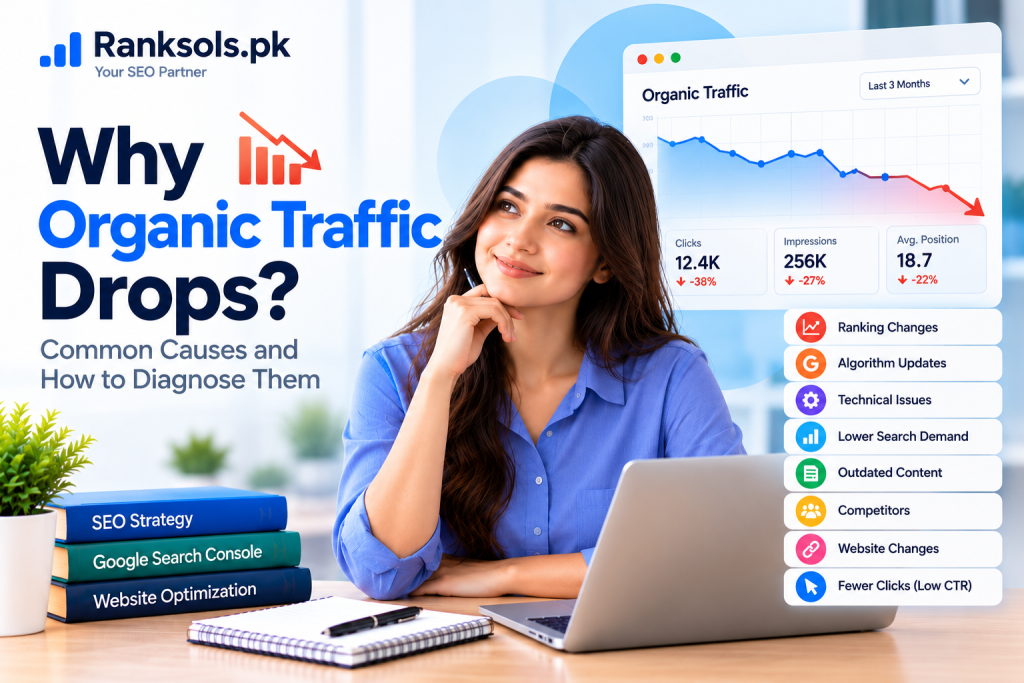
Organic traffic can decline even when a website remains online and its content continues to be published. The cause may be a ranking change, a technical problem, lower search demand, or fewer clicks from search results.
Understanding why organic traffic drops helps you identify the underlying issue before making changes to your website. This guide explains the most common causes, how to recognize them, and which checks to perform first.
First, Confirm That Organic Traffic Has Actually Dropped
Before investigating SEO problems, confirm that the decline is real. Differences in reporting, tracking errors, or selecting the wrong Search Console property can make traffic appear lower than it actually is.
Start with these checks:
Compare equivalent periods: In Google Search Console, compare the affected period with the previous period or the same period last year. Use a sufficiently long date range to identify seasonal patterns.
Check the correct property: Confirm that you are viewing the correct domain or URL-prefix property, including the appropriate HTTP or HTTPS version where relevant.
Compare clicks and sessions: Search Console records clicks from Google Search, while Google Analytics measures website activity using its own tracking and reporting methods. Their totals will not necessarily match.
Review tracking changes: If Analytics sessions have dropped but Search Console clicks remain relatively stable, investigate tracking implementation, consent settings, and reporting differences.
Check reporting anomalies: Review Google’s Search Status Dashboard and Search Console documentation for relevant data anomalies.
Once you confirm that search performance has genuinely declined, investigate the causes below.
1. Search Rankings Have Declined
When important pages lose their positions in Google search results, they may receive fewer impressions and clicks. Ranking changes can affect individual keywords, specific pages, or entire sections of a website.
Your competitors may have published more useful content, search intent may have changed, or Google’s ranking systems may now favor different pages.
What to check:
Compare average positions for affected queries in Google Search Console.
Identify the pages and keywords that lost the most clicks.
Review the search results to see which competing pages have gained visibility.
Determine whether the decline is small and temporary or large and sustained.
Do not react to every ranking fluctuation. A small change may reverse naturally, while a significant and persistent decline deserves closer investigation.
2. A Google Algorithm Update Has Affected Visibility
Google regularly improves its ranking systems. A broad core update or another ranking change may alter how pages perform in search results.
However, a traffic decline occurring during an update does not prove that the update caused it, nor does it automatically mean that your website has violated Google’s guidelines.
What to check:
Review the Google Search Status Dashboard for confirmed ranking updates.
Compare the dates of the decline with the update’s start and completion dates.
After a core update finishes, wait at least a full week before conducting the comparison recommended in Google’s guidance.
Review the affected queries and pages to determine whether the change is small or substantial.
For a major, sustained decline, assess whether the affected content provides accurate, useful information and meets the needs of its intended audience. Avoid making drastic changes based solely on the timing of an update.
3. Technical SEO Problems Are Affecting Crawling or Indexing
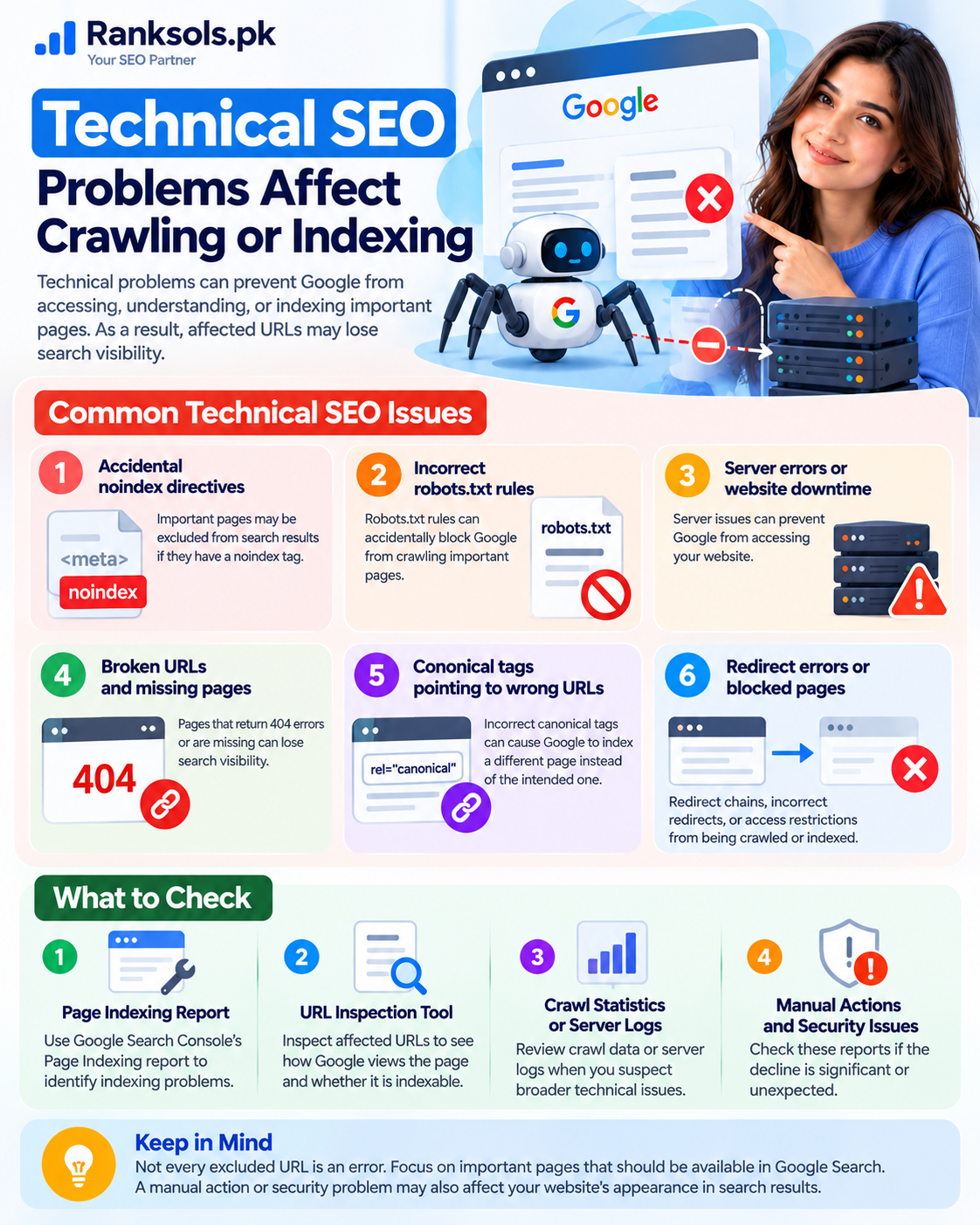
Technical problems can prevent Google from accessing, understanding, or indexing important pages. As a result, affected URLs may lose search visibility.
Common issues include:
Accidental
noindexdirectives.Incorrect robots.txt rules.
Server errors or website downtime.
Broken URLs and missing pages.
Canonical tags pointing to unintended URLs.
Redirect errors or pages blocked by access restrictions.
What to check: Use Google Search Console’s Page Indexing report to identify indexing problems. Inspect affected URLs with the URL Inspection tool, and review crawl statistics or server logs when necessary.
Also check the Manual Actions and Security Issues reports if the decline is substantial or unexpected. A manual action or security problem may affect a website’s appearance in search results.
Not every excluded URL is an error. Focus on important pages that should be available in Google Search.
4. Search Demand Has Decreased
Organic traffic may fall even when rankings remain relatively stable. If fewer people search for your products, services, or topics, your website may receive fewer visitors.
Seasonality, changing customer interests, and declining interest in a particular subject can all affect search demand.
What to check:
Compare impressions and clicks for the affected queries.
Review Google Trends to see whether interest has declined more broadly.
Compare the current period with the same period in previous years.
Check whether the decline is limited to particular countries, devices, or topics.
For example, a seasonal service may receive fewer searches outside its peak period. In such cases, improving rankings alone may not restore previous traffic levels.
5. Content Has Become Outdated or Less Relevant
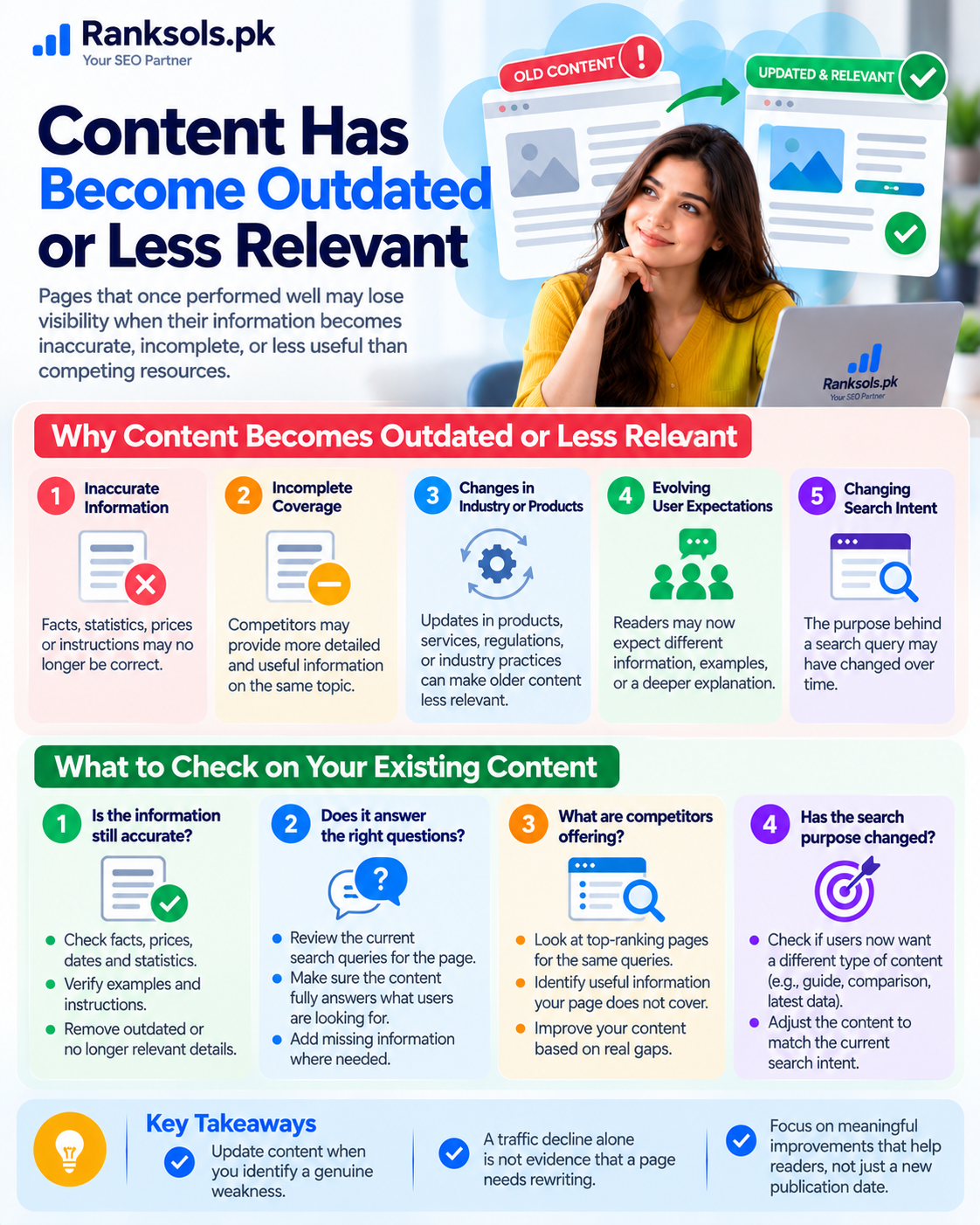
Pages that once performed well may lose visibility when their information becomes inaccurate, incomplete, or less useful than competing resources.
Changes in products, industry practices, regulations, or user expectations can make older content less relevant.
What to check:
Are the facts, prices, examples, and instructions still accurate?
Does the page answer the questions behind its current search queries?
Are competing pages providing useful information that your page lacks?
Has the intended search purpose changed?
Update content when you identify a genuine weakness. A traffic decline alone is not evidence that a page needs rewriting.
Focus on meaningful improvements that help readers rather than making superficial changes simply to give the page a new publication date.
6. Competitors Have Gained Search Visibility
Your website may lose organic traffic because competing pages have become more visible for important queries.
Competitors might improve their content, better match search intent, gain relevant links, or provide a more useful experience for searchers.
What to check:
Search for queries that have lost clicks.
Compare the pages now ranking above yours.
Identify differences in relevance, accuracy, depth, and usefulness.
Determine whether your page has a specific weakness that needs attention.
Competitor analysis should help you understand changes in search results, not encourage you to copy competing pages. Improve your content where the evidence shows that readers would benefit.
7. Website Changes or Migrations Have Caused Problems
Website redesigns, URL changes, content removals, and platform migrations can affect organic search performance when important SEO elements are not preserved.
For example, changing a page URL without a suitable redirect can leave users and search engines encountering an old or missing address.
What to check after a website change:
Confirm that old URLs redirect to their relevant replacement pages.
Check that important pages remain indexable.
Review canonical tags, internal links, and sitemap URLs.
Look for server errors, redirect chains, and missing content.
Compare the timing of the traffic decline with the deployment or migration.
If a decline began immediately after a major website change, investigate that change before making unrelated SEO adjustments.
8. Search Impressions Are Stable but Clicks Have Fallen
Sometimes a website continues appearing in search results but receives fewer clicks. This may indicate a decline in click-through rate (CTR), rather than a straightforward loss of rankings.
Possible reasons include less compelling search snippets, changes in search-result features, or competing pages that better attract users’ attention.
What to check:
Compare clicks, impressions, CTR, and average position for affected queries.
Review title tags and meta descriptions for accuracy and relevance.
Examine the current search results to understand what users see.
Check whether changes in search-result features may be affecting click behavior.
A lower CTR does not automatically mean your title tag is the problem. Interpret the available metrics together before deciding what to change.
How to Diagnose an Organic Traffic Drop
Use the patterns in your search performance data to decide which checks should come first.
| What you observe | What to investigate |
|---|---|
| Impressions and clicks both decline | Rankings, search demand, indexing, and affected queries |
| Impressions remain similar but clicks decline | CTR, search snippets, and changes in search results |
| One page loses most of its traffic | URL status, content relevance, and competing pages |
| Many pages decline at once | Sitewide technical issues, updates, migrations, and reporting anomalies |
| Traffic falls in one country or on one device | Country and device data, localization, and mobile usability |
| Analytics sessions fall but Search Console clicks remain stable | Tracking, consent settings, attribution, and reporting differences |
These patterns are diagnostic clues, not definitive proof of a particular cause.
Follow a Practical Investigation Process
Confirm the decline. Compare equivalent date ranges in Google Search Console and Google Analytics.
Identify the affected pages and queries. Determine whether the loss is sitewide or concentrated in a few URLs.
Review impressions, clicks, CTR, and position. Look for patterns that help distinguish reduced visibility from fewer clicks.
Check technical and policy reports. Review indexing errors, URL Inspection results, Manual Actions, and Security Issues where relevant.
Investigate external changes. Check confirmed Google updates, search trends, competitor visibility, and recent website changes.
Fix confirmed problems first. Make targeted changes based on evidence rather than assumptions.
Monitor performance. Track the same pages and queries after changes, allowing sufficient time for Google to recrawl pages and reassess their performance.
For a more detailed investigation, use Google’s official guide to debugging drops in Google Search traffic.
When Should You Seek Professional SEO Help?
Consider a professional SEO review if organic traffic continues to decline, several important pages lose visibility, a website migration causes unexpected problems, or the cause remains unclear after your initial investigation.
Need help identifying why your organic traffic is dropping? Ranksols can help assess search performance, investigate technical SEO issues, and identify pages that need further review.
Visit Ranksols.pk to explore our SEO services. The objective is to identify the underlying problems and recommend appropriate next steps, without promising a particular ranking or traffic recovery.
Frequently Asked Questions
Why did my organic traffic suddenly drop?
A sudden decline may result from a technical error, a ranking change, a website migration, lower search demand, or a tracking problem. Compare the timing of the decline with recent changes and identify the affected pages before deciding on the cause.
Can organic traffic drop without rankings declining?
Yes. Search demand may decrease, or fewer people may click your listings even when average positions remain relatively stable. Compare impressions, clicks, CTR, and search trends to understand what changed.
How long does it take to recover lost organic traffic?
It depends on the cause. A corrected technical error may help after Google recrawls the affected pages, while broader ranking changes may take considerably longer to reassess. Recovery is not guaranteed.
Should I update all my content after a traffic drop?
No. Investigate the pages that lost performance and update them only when you identify a genuine problem, such as outdated information, incomplete answers, or a mismatch with search intent.
Which tools help diagnose organic traffic loss?
Google Search Console helps identify changes in search clicks, impressions, queries, page performance, and indexing. Google Analytics helps analyze website sessions, while Google Trends helps investigate changes in search interest.
Key Takeaway
Organic traffic drops have different causes, and the right solution depends on the evidence. Confirm the decline, identify affected pages and queries, and investigate technical health, rankings, search demand, and recent website changes before implementing fixes.
A structured diagnosis helps you focus on the problems that matter instead of making unnecessary SEO changes.