Organic traffic is measured by tracking website visits that originate from unpaid search results. SEO professionals use Google Analytics 4 (GA4) and Google Search Console to understand how many visitors reach a website through organic search, which pages attract clicks, and how search performance changes over time.
These tools measure different parts of the process: Search Console reports how a website performs in Google Search, while GA4 measures activity on the website after visitors arrive. Using both provides a more complete picture of organic search performance.
Which Tools Measure Organic Traffic?
1. Google Analytics 4 (GA4)
Google Analytics 4 measures website activity and helps identify sessions attributed to organic search. Its Traffic acquisition report allows website owners to compare organic search with other traffic channels.
Important GA4 metrics include:
Organic search sessions: The number of sessions attributed to the Organic Search channel.
Users: The number of users identified by Analytics during the selected reporting period.
Engagement: Metrics such as engaged sessions, engagement rate, and engagement time.
Key events: Important actions, such as form submissions or purchases, when these events are configured and recorded.
Revenue: Purchase revenue recorded through an appropriate ecommerce measurement setup.
To review organic traffic, open Reports → Acquisition → Traffic acquisition. Select Session default channel group and examine the Organic Search channel. To investigate traffic from a specific search engine, use the Session source / medium dimension, where available, and look for sources such as google / organic.
Report availability and navigation may vary depending on your GA4 property configuration.
2. Google Search Console
Google Search Console measures a website’s performance in Google Search. Its Performance report shows how often pages appear in search results and how users interact with those results.
The four key metrics are:
Clicks: The number of clicks from Google Search to your website.
Impressions: How often your website appears in Google Search results, according to Google’s impression-counting rules.
Click-through rate (CTR): The percentage of impressions that result in clicks.
Average position: The average position of your topmost result across recorded impressions.
CTR is calculated using the following formula:
CTR = (Clicks ÷ Impressions) × 100
For example, if a page receives 1,000 impressions and 50 clicks, its CTR is 5%.
Average position is an aggregate metric, not a fixed ranking. Your position can vary across queries, devices, locations, and search results.
Search Console also allows you to analyze performance by query, page, country, and device, helping you identify which pages and searches contribute to organic search visibility.
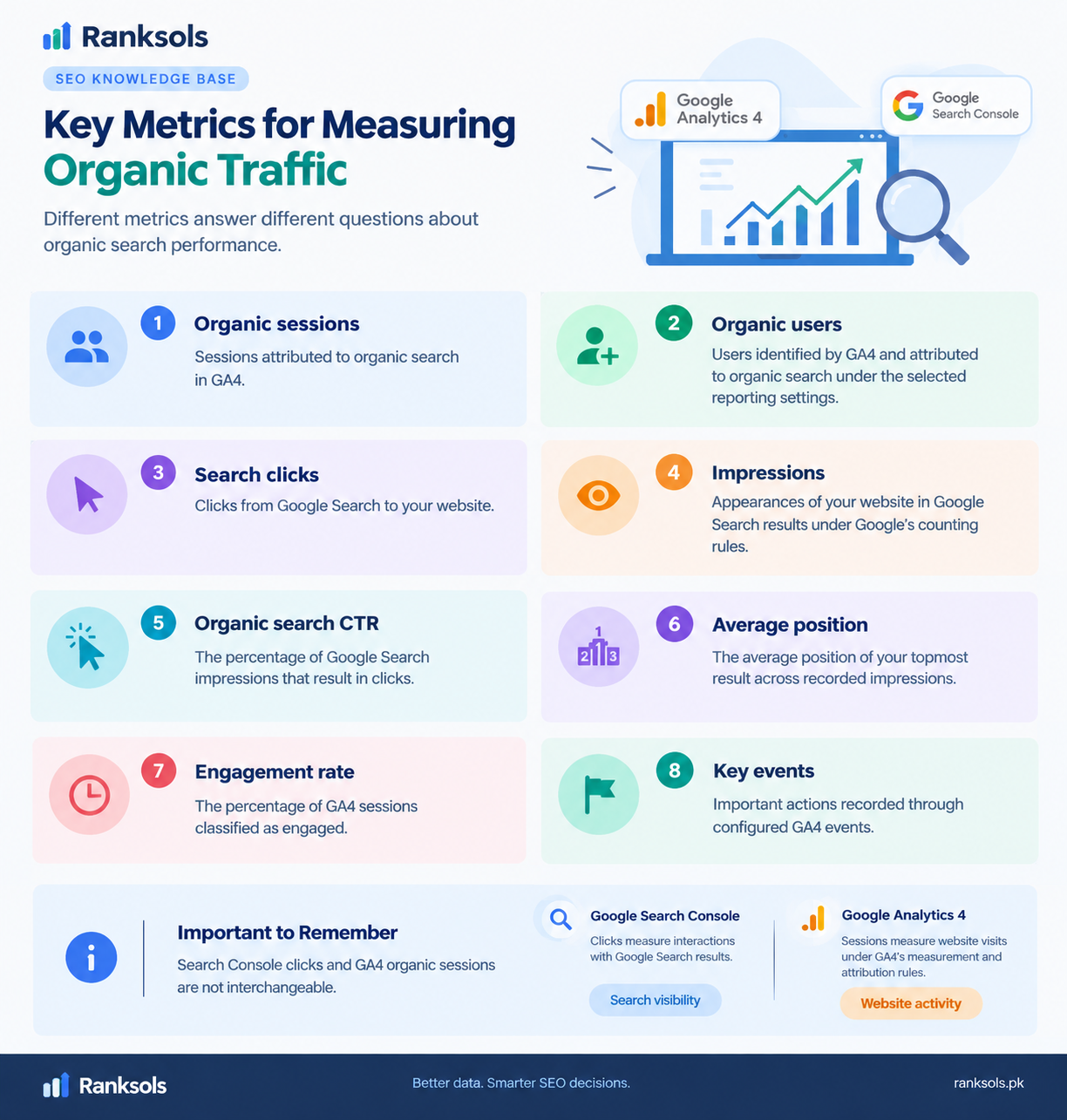
Key Metrics for Measuring Organic Traffic
Different metrics answer different questions about organic search performance.
| Metric | What it measures |
|---|---|
| Organic sessions | Sessions attributed to organic search in GA4 |
| Organic users | Users identified by GA4 and attributed to organic search under the selected reporting settings |
| Search clicks | Clicks from Google Search to your website |
| Impressions | Appearances of your website in Google Search results under Google’s counting rules |
| Organic search CTR | The percentage of Google Search impressions that result in clicks |
| Average position | The average position of your topmost result across recorded impressions |
| Engagement rate | The percentage of GA4 sessions classified as engaged |
| Key events | Important actions recorded through configured GA4 events |
Search Console clicks and GA4 organic sessions are not interchangeable. Clicks measure interactions with Google Search results, while sessions measure website visits under GA4’s measurement and attribution rules.
How to Measure Organic Traffic Step by Step
Follow a consistent process to assess organic search performance.
Choose a reporting period. Select a period, such as the previous 28 days, and use comparable dates when reviewing changes.
Review Search Console performance. Examine clicks, impressions, CTR, and average position to understand changes in Google Search visibility.
Check GA4 organic sessions. Open the Traffic acquisition report and review sessions attributed to Organic Search.
Analyze landing pages. Identify which pages attract organic visitors and investigate pages experiencing significant declines.
Review engagement and key events. Determine whether visitors engage with important content or complete actions relevant to your business.
Compare results over time. Look for sustained changes and investigate relevant queries, pages, and seasonal patterns before drawing conclusions.
For a more focused analysis, compare the same pages and reporting periods in both tools. Search Console helps explain what happens in Google Search, while GA4 helps show what happens after visitors arrive.
Why Do Organic Traffic Measurements Differ?
Google Search Console and GA4 often report different totals because they measure different activities and use different reporting systems.
Search Console measures clicks from Google Search. GA4 measures website activity through its tracking and attribution systems. Not every search click necessarily results in a recorded Analytics session.
Differences can arise from:
Visitors leaving before Analytics records a session.
Consent choices, ad blockers, or other tracking restrictions.
Incorrect or incomplete Analytics implementation.
Differences in reporting time zones and date ranges.
Processing delays and differences in reporting methods.
Organic traffic from other search engines can also appear in GA4 without being included in Google Search Console’s Google Search performance report.
When totals differ, first compare equivalent date ranges and relevant dimensions. Then check your Analytics implementation and consent settings before assuming that the difference indicates a tracking problem.
How to Interpret Organic Traffic Data
Organic traffic metrics become more useful when evaluated together rather than in isolation.
Impressions increase, but clicks remain flat: Investigate the queries and pages involved, then review CTR and how your pages appear in search results.
Search clicks increase, but GA4 sessions do not: Compare reporting periods and filters, then investigate tracking and measurement differences.
Organic sessions increase, but key events remain unchanged: Review landing-page relevance, visitor engagement, and whether key events are configured correctly.
Clicks and relevant conversions increase together: This may indicate that organic search is contributing more effectively to your business goals, although attribution and other factors should also be considered.
These patterns are diagnostic starting points, not proof of a particular cause. Review the relevant pages, queries, and measurement settings before deciding what action to take.
For businesses that need help interpreting search performance data, Ranksols can support SEO analysis and identify opportunities to improve organic search visibility using available website and analytics data.
Final Thoughts
Organic traffic measurement combines search performance data with website analytics. Google Search Console helps evaluate clicks, impressions, CTR, and average position, while GA4 measures organic sessions, engagement, key events, and other recorded website activity.
Using both tools helps website owners understand how users discover their pages through unpaid search results and what happens after they arrive.