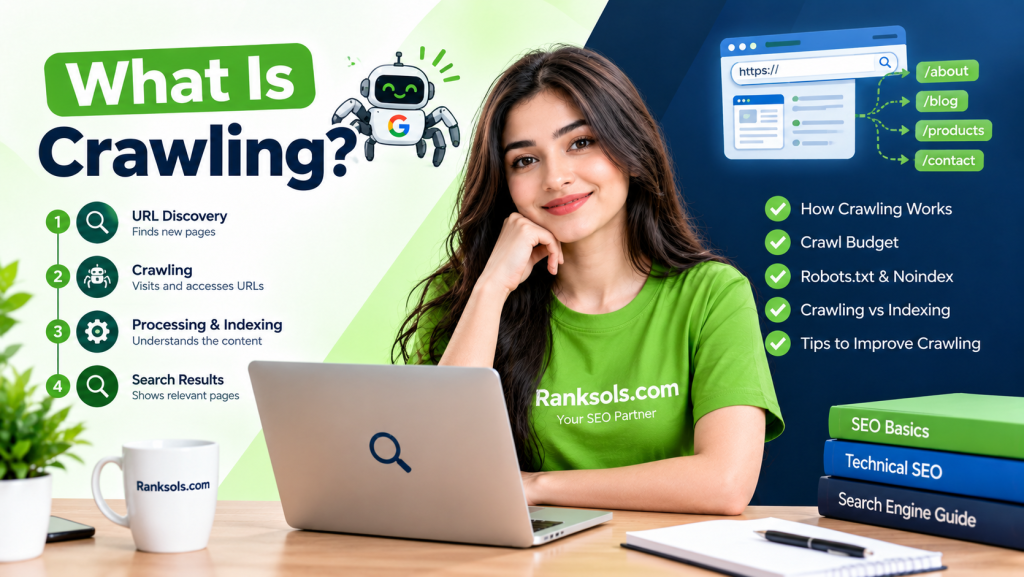
Crawling is the process by which search engines use automated crawlers to discover and access URLs on the web. For Google Search, the primary crawler is Googlebot.
Crawling is an important part of how search engines process websites, but it is not the same as indexing or ranking. A page can be crawled without being indexed or appearing in search results.
What Is a Search Engine Crawler?
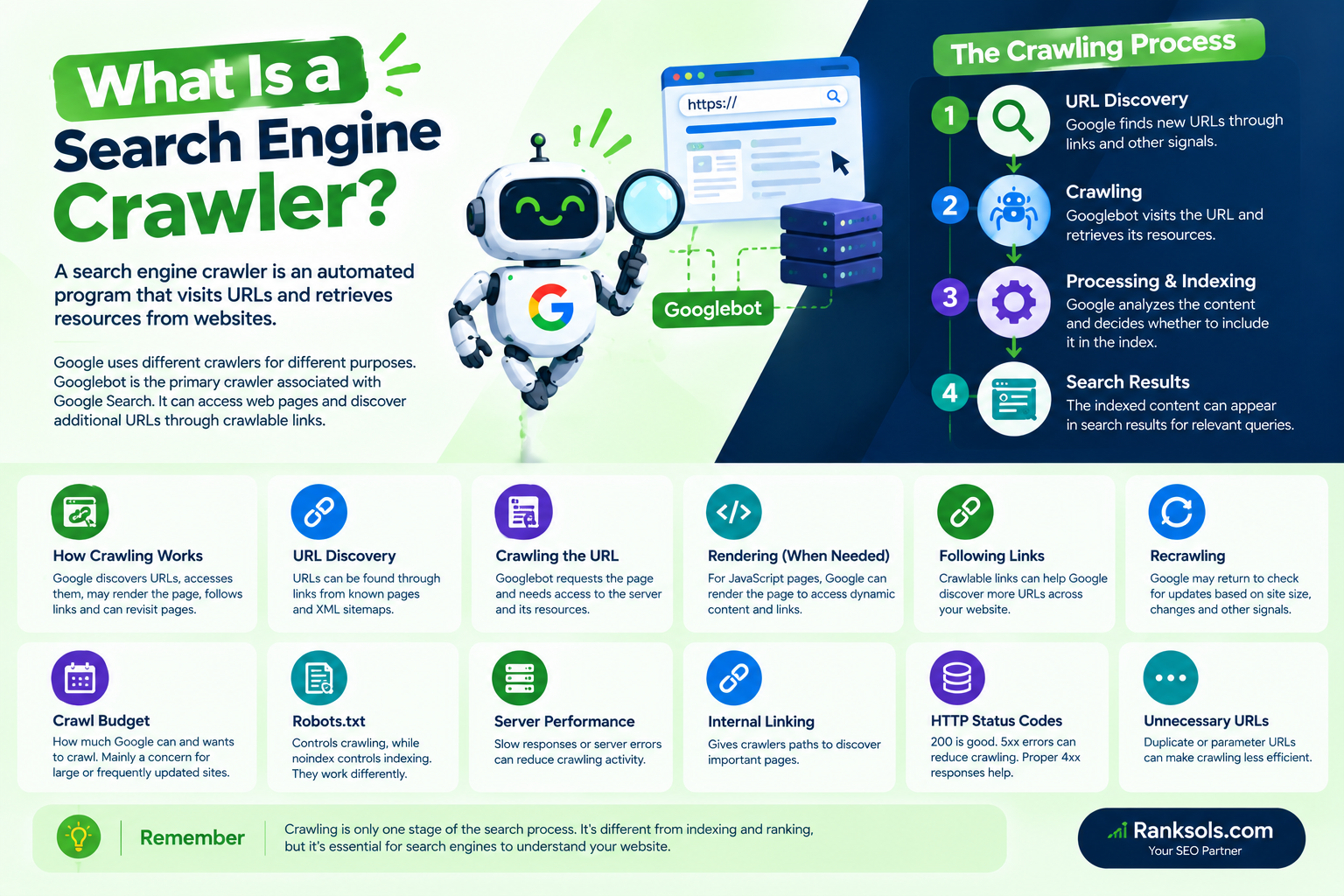
A search engine crawler is an automated program that visits URLs and retrieves resources from websites.
Google uses different crawlers for different purposes. Googlebot is the primary crawler associated with Google Search. Googlebot can access web pages and discover additional URLs through crawlable links.
A simplified process looks like this:
URL Discovery → Crawling → Processing & Indexing → Search Results
These stages are connected, but they are not the same thing.
How Does Crawling Work?
Crawling involves several connected activities.
1. URLs Are Discovered
Before a search engine can crawl a URL, it needs to know that the URL exists.
Google can discover URLs through links from pages it already knows about. XML sitemaps are another important way to help Google discover URLs, particularly on large websites or newly launched websites.
For example:
Existing Page → Crawlable Link → New URL Discovered
A logical internal linking structure can therefore give search engines additional paths to important pages.
2. The URL Is Crawled
Once Google knows about a URL, Googlebot may request it from the website’s server.
The crawler needs to be able to access the URL and retrieve its content. Server availability, response times, crawling restrictions, and HTTP responses can therefore affect crawling.
Google’s crawling systems automatically adjust crawling activity based on the site’s capacity and other signals rather than simply crawling every website at the same rate.
3. Pages May Be Rendered
For pages that depend on JavaScript, Google can use its rendering systems to process the page and access content that becomes available through rendering.
This is particularly relevant when important content or links are generated through JavaScript. Google recommends ensuring that important content remains accessible to its crawlers.
This does not make JavaScript SEO the focus of this article; it is simply one part of how modern web pages can be processed during search crawling.
4. Crawlers Can Discover More URLs
When a crawler accesses a page, it can encounter links to other URLs.
For example:
Homepage → Category → Product → Related Product
If these links are crawlable, they can provide additional paths for discovering pages throughout the website.
This is one reason website architecture and internal linking are relevant to crawling.
5. Existing Pages Can Be Crawled Again
Crawling is not necessarily a one-time event.
Google may return to previously discovered URLs to check for changes. Crawl demand can vary according to factors such as website size, update frequency, page quality, popularity, and how much content Google believes needs to be refreshed.
What Is the Difference Between Crawling and Indexing?
Crawling and indexing are different stages.
Crawling means that a search engine accesses a URL.
Indexing involves processing the page and determining whether its content can be included in the search index.
Therefore:
Crawled ≠ Indexed
Google explicitly notes that meeting its technical requirements does not guarantee that a page will be indexed.
If a page is crawled but does not appear in Google Search, the issue may therefore be related to indexing rather than crawling.
A dedicated “What Is Indexing?” article would be the appropriate resource for that topic rather than expanding this article further.
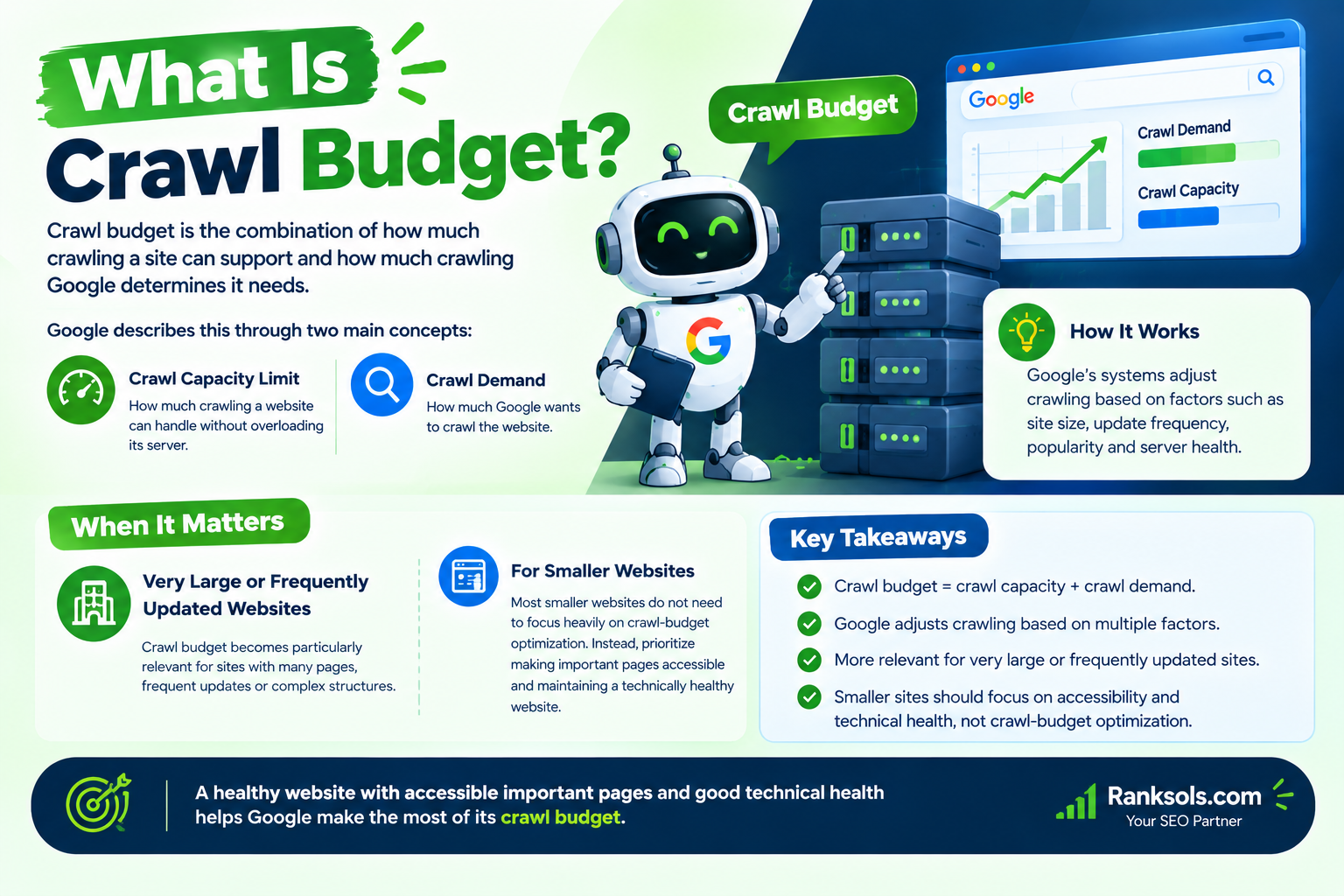
What Is Crawl Budget?
Crawl budget is the combination of how much crawling a site can support and how much crawling Google determines it needs.
Google describes this through two main concepts:
Crawl capacity limit — how much crawling a website can handle without overloading its server.
Crawl demand — how much Google wants to crawl the website.
Google’s systems adjust crawling based on these factors.
Crawl budget is particularly relevant to very large or frequently updated websites. Most smaller websites do not need to focus heavily on crawl-budget optimization. Instead, they should prioritize making important pages accessible and maintaining a technically healthy website.
What Can Affect Crawling?
Several technical factors can influence how effectively search engines crawl a website.
Robots.txt
A robots.txt file provides instructions to crawlers about which URLs they can access.
For example, a website can use robots.txt to prevent crawlers from accessing certain areas or URL patterns.
However, robots.txt is primarily a crawling control mechanism, not a reliable way to prevent a page from appearing in Google Search.
If a page should not be indexed, Google recommends using a noindex rule while allowing Googlebot to crawl the page so it can see that instruction. If robots.txt blocks the page, Google may not be able to see the noindex directive.
A useful distinction is:
robots.txt → controls crawling
noindex → controls indexing
Internal Linking
Clear internal links can provide crawlers with paths to discover important pages.
Important content should therefore not be unnecessarily isolated from the rest of the website.
Server Performance
A website needs to respond reliably to crawler requests.
Slow responses, server errors, or capacity problems can affect crawling. Google can reduce crawling when a website repeatedly returns significant server errors or otherwise indicates that it cannot handle the current crawl rate.
HTTP Status Codes
When Googlebot requests a URL, the server returns an HTTP status code.
For example, a working page normally returns a successful 200 response. Google states that pages need to work and return a successful response to meet its basic technical requirements for indexing.
Server errors such as 5xx responses can also cause Google to reduce its crawling activity.
Unnecessary URLs
Large numbers of duplicate or unnecessary URLs can make crawling less efficient, particularly on large websites.
Faceted navigation, sorting parameters, filters, and similar systems can sometimes create many URL variations that provide little additional value. Google identifies inefficient URL configurations as a potential source of excessive crawling.
How Can You Improve Crawling Efficiency?
For most websites, improving crawling is less about forcing Google to crawl more and more about making important content accessible and reducing unnecessary crawling.
Useful practices include:
Maintain a logical internal linking structure.
Keep important pages accessible to Googlebot.
Maintain an up-to-date XML sitemap.
Avoid unnecessary URL variations.
Use robots.txt carefully.
Monitor server errors and response performance.
Avoid creating large numbers of duplicate URLs.
Keep website architecture organized.
Use Google Search Console to investigate crawling and indexing problems.
For large websites, reviewing crawl statistics and URL patterns can provide additional insight into how Googlebot interacts with the site.
How Can You Check Crawling Issues?
Google Search Console provides several useful tools for investigating crawling.
URL Inspection
The URL Inspection tool can help you investigate how Google accesses and processes an individual URL.
Crawl Stats
The Crawl Stats report provides information about Google’s crawling activity on a website.
Using these tools can help determine whether an issue involves:
URL Discovery → Crawling → Indexing → Search Appearance
Keeping these stages separate makes technical SEO diagnosis clearer. Google recommends using Search Console reports and URL Inspection when investigating crawling and indexing problems.
Crawling Is Not the Same as Ranking
Crawling does not mean that a page will rank.
The distinction is:
Crawling: Can the search engine access the URL?
Indexing: Has the page been processed and considered for the search index?
Ranking/Serving: How and where might the page appear for relevant searches?
Increasing crawling by itself does not guarantee better rankings. Crawling is simply one part of the broader search process.
A Simple Example of Crawling
Imagine an ecommerce website with these pages:
Homepage → Category → Product → Related Product
Googlebot discovers the homepage and accesses it. From the homepage, it can discover category pages through crawlable links. Those category pages can lead to product URLs, which can expose additional pages.
The crawler can therefore discover and access different parts of the website through the site’s available paths.
If an important product page has no useful path for crawlers to discover it, that page may be more difficult for search engines to find.
Why Crawling Matters for SEO
Crawling matters because search engines need to access web content before they can properly process it.
A technically accessible website with logical architecture gives crawlers clearer paths through its content. This does not guarantee indexing or rankings, but it can reduce avoidable technical barriers between the website and search engines.
For businesses managing larger or technically complex websites, professional technical SEO can help identify crawling inefficiencies, URL-management problems, and accessibility issues.
If you need help reviewing your website’s technical SEO and crawlability, Ranksols can be a relevant option for a focused SEO assessment.
Key Takeaways
Crawling is the process of search engines accessing URLs on the web.
Googlebot is Google’s primary crawler for Google Search.
URLs can be discovered through links and XML sitemaps.
Crawling and indexing are different processes.
A crawled page is not automatically indexed.
robots.txtcontrols crawling, whilenoindexcontrols indexing.Server performance and HTTP responses can affect crawling.
Unnecessary URL variations can make crawling less efficient.
Crawl budget is mainly important for very large or frequently updated websites.
Good internal linking and organized website architecture can help crawlers discover important pages.
Crawling is only one stage of the broader search process.