
When someone visits a website, several technical processes happen behind the scenes to deliver the requested page. DNS helps locate the website, the browser establishes a connection, and the hosting infrastructure processes the request before returning the required content.
Understanding how web hosting works behind the scenes helps website owners understand website loading, server performance, and common connectivity problems.
1. DNS Resolves the Domain Name
When a visitor enters a domain name such as example.com, the browser needs the network information required to reach the website.
The Domain Name System (DNS) helps resolve the domain name into the appropriate network destination. The browser, operating system, or DNS resolver may already have cached information, so a new DNS lookup is not always necessary.
The process commonly involves:
DNS lookup: The browser or operating system checks for previously resolved information.
DNS resolution: If the information is unavailable or needs refreshing, a resolver obtains the relevant DNS records.
Destination discovery: An A or AAAA record may provide an IPv4 or IPv6 address for the hostname.
The destination is not always the website’s origin server. A CDN, reverse proxy, or other intermediary may receive the connection first, depending on the website’s configuration.
DNS helps locate the website, but it does not store or deliver the website’s files.
2. The Browser Establishes a Connection
After obtaining the necessary network information, the browser connects to the website’s serving infrastructure.
For an HTTPS website, the browser typically establishes a secure connection using Transport Layer Security (TLS). The browser validates the server certificate according to its trust requirements, helping protect communication against interception and impersonation.
The browser then sends an HTTP request for the required resource.
For example, it may request the homepage, a product page, an image, or a specific article.
The time required to establish a connection can depend on network latency, DNS resolution, connection reuse, and the HTTP protocol being used. Modern protocols such as HTTP/2 and HTTP/3 can also affect how requests and connections are managed.
3. The Web Server Receives the Request
Once the request reaches the website’s infrastructure, server-side software determines how to handle it.
Depending on the hosting architecture, the request may pass through a CDN, load balancer, reverse proxy, or web server before reaching the website application.
Common web server software includes Apache HTTP Server, Nginx, and LiteSpeed Web Server.
These components can handle incoming requests, apply configuration rules, and direct requests to the appropriate files or application processes.
For example, a request for an existing image may be served directly, while a request for a dynamic WordPress page may require application processing.
Not every website uses all these components. The architecture depends on the website’s requirements and hosting configuration.
4. Static and Dynamic Requests Are Processed Differently
The hosting environment handles requests according to the type of resource being requested.
Static Content
Static content consists of files that can generally be delivered without generating a new page through application logic for each request.
Examples include:
HTML files
CSS stylesheets
JavaScript files
Images and downloadable documents
When a requested file exists and access is permitted, the web server can often return it directly.
Dynamic Content
Dynamic websites generate or assemble content using application software and, when necessary, databases.
For example, when a visitor opens a WordPress article, the hosting environment may:
Execute the relevant PHP application code.
Retrieve the required article content and settings from a database such as MySQL or MariaDB.
Generate the HTML response.
Return the response to the browser.
Caching may allow the system to reuse previously generated content rather than repeat every operation for each request.
WordPress is one example of a dynamic website. Other applications may use different programming languages, databases, and processing methods.
5. The Server Returns an HTTP Response
After processing the request, the server returns an HTTP response containing a status code, headers, and, when applicable, the requested content.
Common HTTP status codes include:
200 OK: The request succeeded.
301 Moved Permanently: The resource has been permanently redirected.
404 Not Found: The requested resource could not be found.
500 Internal Server Error: The server encountered an unexpected condition.
These status codes describe the outcome of a request, but they do not always identify the underlying cause of a problem.
For example, a 500 error may result from an application failure, a configuration issue, or another server-side condition. Logs and diagnostic tools are often needed to identify the actual cause.
If the request succeeds, the browser receives the relevant resource and begins processing it.
6. The Browser Renders the Website
Receiving the initial HTML does not necessarily mean the entire webpage has finished loading.
The browser parses the HTML, processes CSS, executes JavaScript when required, and requests additional resources such as images, fonts, and stylesheets.
Some resources can load in parallel, while others depend on earlier processing or execution.
The browser then renders the content so visitors can read the text, view images, and interact with the website.
This process explains why a website’s loading time depends on more than the hosting server alone. Network conditions, page size, scripts, third-party services, and browser processing can all influence the final experience.
7. How Caching and CDNs Affect Content Delivery
Caching and content delivery networks can reduce repeated processing and help deliver website resources more efficiently.
Caching stores reusable content or previously generated results so that the same work does not need to be repeated unnecessarily. Depending on the configuration, caching can occur in the browser, application, database layer, server, or an intermediary proxy.
A content delivery network (CDN) distributes eligible content across a network of servers. Visitors may receive cached resources from a CDN location closer to them rather than retrieving every resource from the origin server.
For example, a CDN may serve a cached image without contacting the origin server for that request. An uncached resource or dynamic request may still require origin processing.
Caching and CDNs can improve delivery efficiency, but they do not automatically resolve every performance problem. Their effectiveness depends on the content, cache rules, application design, and hosting configuration.
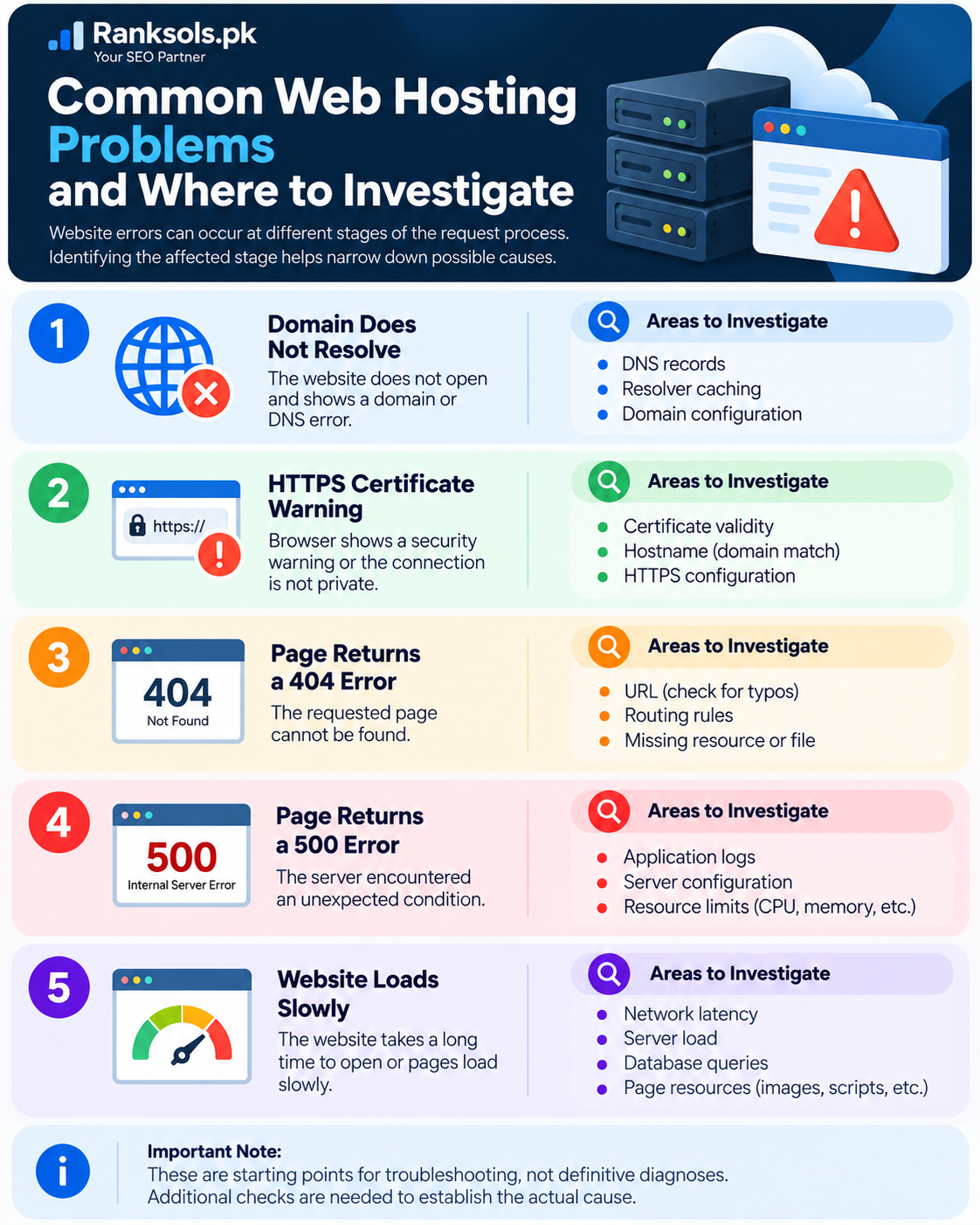
Common Web Hosting Problems and Where to Investigate
Website errors can occur at different stages of the request process. Identifying the affected stage helps narrow down possible causes.
| Symptom | Areas to investigate |
|---|---|
| Domain does not resolve | DNS records, resolver caching, and domain configuration |
| HTTPS certificate warning | Certificate validity, hostname, and HTTPS configuration |
| Page returns a 404 error | URL, routing rules, or missing resource |
| Page returns a 500 error | Application logs, server configuration, and resource limits |
| Website loads slowly | Network latency, server load, database queries, and page resources |
These are starting points for troubleshooting, not definitive diagnoses. Additional checks are needed to establish the actual cause.
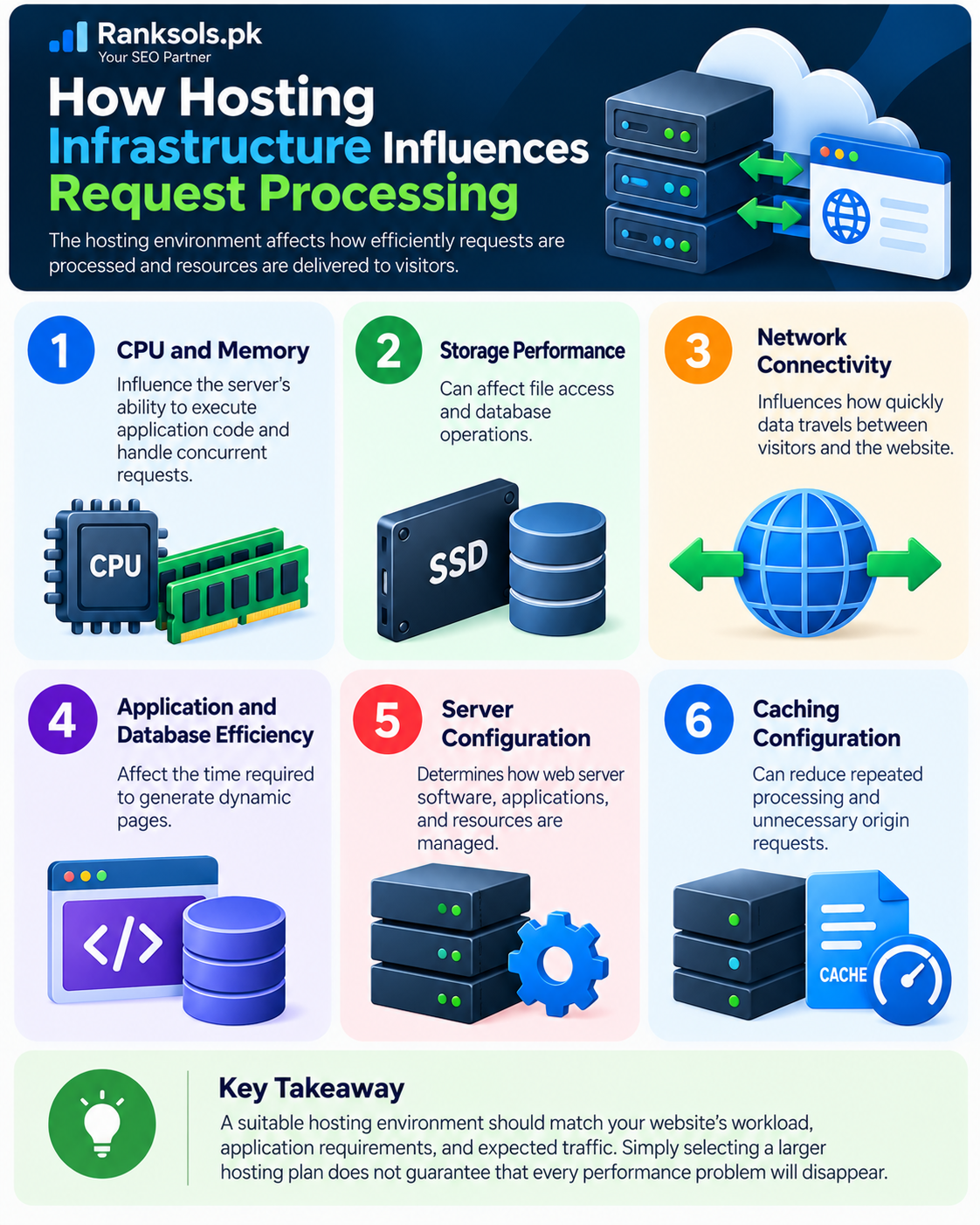
How Hosting Infrastructure Influences Request Processing
The hosting environment affects how efficiently requests are processed and resources are delivered.
Important factors include:
CPU and memory: Influence the server’s ability to execute application code and handle concurrent requests.
Storage performance: Can affect file access and database operations.
Network connectivity: Influences how quickly data travels between visitors and the website.
Application and database efficiency: Affect the time required to generate dynamic pages.
Server configuration: Determines how web server software, applications, and resources are managed.
Caching configuration: Can reduce repeated processing and unnecessary origin requests.
A suitable hosting environment should match the website’s workload, application requirements, and expected traffic. Simply selecting a larger hosting plan does not guarantee that every performance problem will disappear.
Conclusion
Behind every website visit is a sequence of operations involving DNS, network connections, web servers, application software, and browser rendering. Together, these components locate website resources, process requests, and deliver content to visitors.
Understanding this process helps website owners recognize where connectivity or performance problems may occur and why hosting configuration matters.
Planning to launch or improve your website? Explore the web hosting options available through Ranksols.pk and choose an environment suited to your website’s technical requirements.
Frequently Asked Questions
Does a hosting server generate every webpage from scratch?
No. Static files can often be delivered directly, while dynamic pages may require application processing and database queries. Caching can also allow previously generated content to be reused.
Does DNS send website files to the browser?
No. DNS helps resolve a domain name to the relevant network destination. Website resources are delivered separately through HTTP or HTTPS requests.
Why can two websites on the same hosting server load at different speeds?
Websites may use different amounts of server resources and have different application code, database queries, caching configurations, page sizes, and third-party dependencies. These differences can affect performance even when the hosting environment is shared.
Can a CDN replace web hosting?
A CDN can distribute and cache eligible content, but it does not generally replace the origin hosting environment required to store website files, run applications, or process dynamic requests.